MapPlace 2 Reports
Summary report tools
Summary reports can be generated for most geoscience datasets in MapPlace 2. These reports are displayed as web pages with links to external pages and can be downloaded as Excel files and, for some datasets, as Google Earth KML files. To generate reports, select features from a layer, click the corresponding report tool, either in the Report menu from the Toolbar or from the Map Window menu. The report will open in a new browser window.
Reports derived from MINFILE
MapPlace 2 provides several reports derived from the MINFILE database, the names of which correspond to the layer names in the Legend Pane. Because each report links to a specific layer, you must ensure that the data selection is done on the layer linked to the report you want to generate.

The reports are generated as web pages. Below the title is a Download to Excel link. Clicking this link downloads an Excel spreadsheet with the details listed in the report.
The main body of the report is a table listing the MINFILE No., Name, Status,
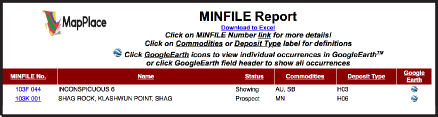
Commodities and Deposit Type of each occurrence, along with a link to a Google Earth KML file for all the mineral occurrences in the table. Clicking one of the column headers for MINFILE No., Name or Status sorts the table by that column. Clicking the Commodities column header opens the commodity code definition table and clicking the Deposit Type header open the B.C. Mineral Deposit Profiles page. Clicking the Google Earth column header downloads a Google Earth KML file with the showings listed in the report table.
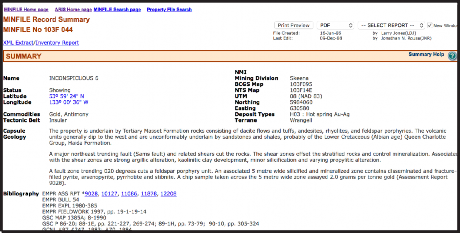
Within the table, each MINFILE No. is a link to the MINFILE database that opens the MINFILE Record Summary for that particular occurrence. In the Google Earth column, the icon is linked to a Google Earth KML file containing only that occurrence.
Reports derived from ARIS
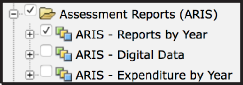
Reports derived from ARIS can be generated based on the ARIS - Reports by Year, ARIS - Digital Data or ARIS - Expenditure by Year layers. Data from the layer linked to the report to be generated must be selected.
Below the title is a download in Excel button that downloads a spreadsheet version of the report. Underneath this button is a link to metadata from the ARIS database where the meaning of each column is defined.
The main report table consists of six columns: Report Number, Year, Latitude, Longitude, Work Cost and 2002 Dollars.
Clicking one of the column headers for Report Number, Year, Work Cost or 2002 Dollars sorts the table by the column.
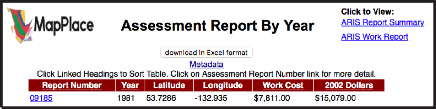
The report numbers link directly to the ARIS/www Detailed Summary Report, where more information can be found along with links to the PDF version of the report and digital data (where available). In the top right corner of the report are links to two additional views of the report: Assessment Report Summary and Assessment Report Work Summary.

The Assessment Report Summary displays the Report Number (linked to the ARIS/www Detailed Summary Report), Property Name, Claim Names, Report Title, Author, Report Year, NTS Maps, Operator and Owner.

The Assessment Report Work Summary displays the Report Number Number (linked to the ARIS/www Detailed Summary Report) along with details such as Work Type, Number, Elements, Map Scales, Number of Maps.
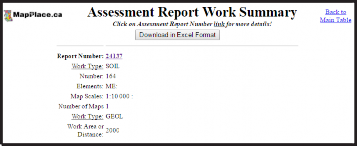
Both of these additional report views include Download in Excel Format buttons. Maps and Operator.
Reports derived from COALFILE
The Coal Assessment report has two links below the title. The Download to Excel link downloads a spreadsheet listing the attributes from the report’s main table.

The Metadata link opens the COALFILE page where metadata about the COALFILE database columns is listed. The main table of the report lists the Report No., Year, Area, NTS Maps, Latitude, Longitude, Total Pages, Web Size (KB) and PDF Files for each report.
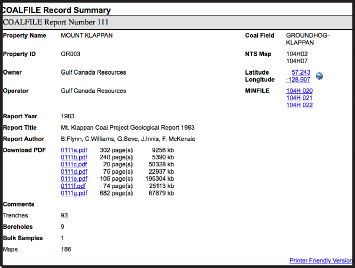
The Report No. is linked directly to the COALFILE Record Summary where additional details on the reports are displayed. The PDF file names are directly linked to the PDF versions of the reports.
Reports derived from MTO
Four reports can be generated from the MTO layers. The report names relate directly to the Mineral Titles layers available in the Legends Pane. Data must be selected from the corresponding layer before generating a report.
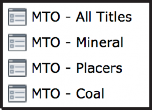
Below the Mineral Titles Online Report title is the Download to Excel link that downloads a spreadsheet listing the selected tenures and attributes as listed in the report table.
The report table lists Tenure Number, Type, Claim Name, Good Until and Area (ha). The Tenure Number links directly to the Title Detail page on the Mineral Titles Online website where up-to-date information can be found. The table can be sorted by clicking column headers. A red arrow next to a column name indicates the sort order.

Reports derived from Bedrock Geology
The BC bedrock report is linked to the Geology - Bedrock Geology layer and will give results on data selections done at a scale of 1:1,000,000 or greater. Because the zoom levels in MapPlace 2 interface are fixed, this is equivalent to 1: 1155584.0436 in the Map Window Scale box.
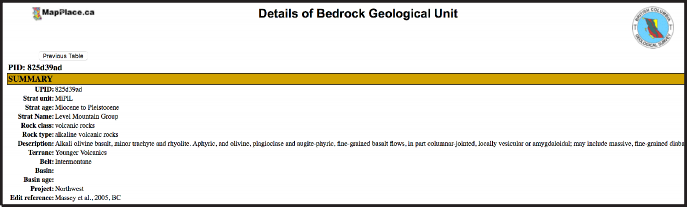
The report lists, for each polygon selected, the UPID, Strat Unit, Era, Strat Age, Rock Class, Rock Type, Age (maximum) and Age (minimum), Belt and Project.

The UPID links to a more detailed display of attributes for the specific unit. Table columns can sorted by clicking headers.
Reports derived from RGS
Four reports can be generated from the Regional Geochemical Survey (RGS), all of which are linked to the RGS - RGS Sample Location layer. All RGS reports have a Download in Excel format and a link to View RGS Metadata.
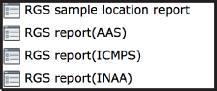
The RGS sample location report lists, for each selected sample, a Master ID, Latitude, Longitude, Year, NTS Map-250k, NTS Map-50k, NTS Map-20k and a link to a Google Earth file. In the top left portion of the report page is a section labelled ‘View data by:’ with three buttons (AAS, INAA, ICPMS). These link to the other three RGS reports available, where results for each type of analysis (if available) are displayed.

Reports derived from Rock Property
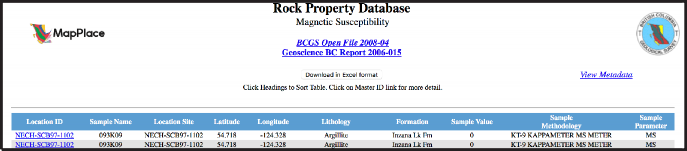
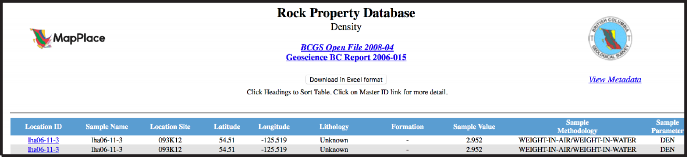
MapPlace 2 offers two rock property reports. Rock Magnetic Susceptibility is linked to the RPDS Magnetic Susceptibility layer and Rock Density is linked to the RPDS Density layer.
Both reports have a Download in Excel format button. For each sample the spreadsheet lists the Location ID, Sample Name, Location Site, Latitude, Longitude, Lithology, Formation, Sample Value, Sample Methodology and Sample Parameter (MS for magnetic susceptibility and DEN for density).
Reports derived from Mineral Resource Assessment
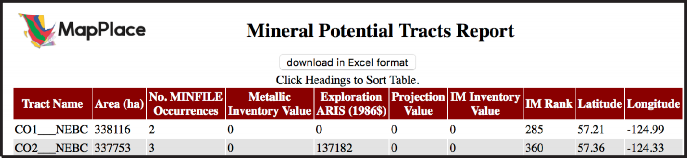
The industrial mineral potential report is linked to the Industrial Mineral Potential By Rank layer. Below the title is a download in Excel format button. The main table includes columns for Tract Name, Area (ha), No. MINFILE Occurrences, Metallic Inventory Value, Exploration ARIS (1986$), Projection Value, IM Inventory Value, IM Rank, Latitude and Longitude.
Reports derived from Geochron age data
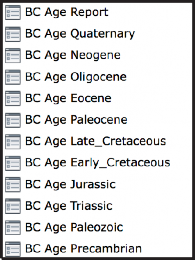
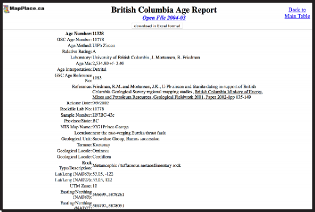
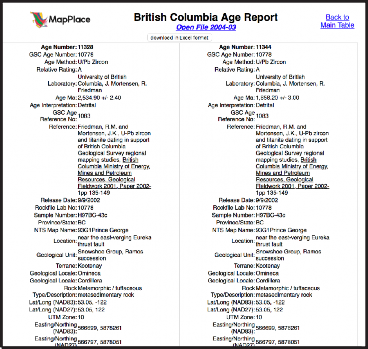
Geochron age data reports are linked to the BC Age layers available. The main report page has a download in Excel format button. The main table has columns for Age No., GSC lab No., Age Method, Age Ma, Sample No., NTS Map, Latitude/Longitude, UTM Zone and Easting/Northing (NAD83). The Age No. entries are linked to a detailed report. Alternatively the detailed reports for all of the ages listed can be displayed together by clicking the Detail Report link near the top right of the screen. and Property for each selected sample.